













Tech News, Magazine & Review WordPress Theme 2017
  • Home
  • Review
    Four iPhone 17 models showcasing new 2025 design, camera upgrades, and color options

    iPhone 17 Review (2025): Full Specifications, Features & First Impressions

    Apple AirPods Pro 3 Review: Are They Worth the Upgrade in 2025?

    Apple AirPods Pro 3 Review: Are They Worth the Upgrade in 2025?

    samsung-galaxy-S24-ultra-Review

    Samsung Galaxy S24 Ultra – Full In-Depth Review (2025)

  • Gaming
    Infographic showing American teen earning real money from Roblox game development, with virtual to cash flow visualization for parents guide 2026

    Meet the 14-Year-Old From Ohio Who Made $2.3 Million Playing Roblox

  • Gadgets
    • All
    • Smartphone
    Best budget smartphones in the USA for 2026 lineup

    Best Budget Phones in the USA (2026): Top Affordable Smartphones You Can Buy Right Now

    Trending Tags

    • Best iPhone 7 deals
    • Apple Watch 2
    • Nintendo Switch
    • CES 2017
    • Playstation 4 Pro
    • iOS 10
    • iPhone 7
    • Sillicon Valley
  • Tech News
    Visualization of quantum computing technology and quantum bits revolutionizing American innovation by 2026 with glowing quantum circuits and data processing

    Quantum Computing 2026: America’s Race to Quantum Supremacy and What It Means for You

    Artificial Intelligence transforming American cities and workplaces by 2026

    AI Revolution 2026: How Artificial Intelligence Will Transform American Life

    Comparative feature image showing OpenAI ChatGPT Search interface versus Google Search, highlighting AI search revolution and future of SEO in 2026

    ChatGPT Search vs. Google: OpenAI’s 2026 Game-Changer That Redefines How We Search

    Infographic: Google removed 10+ billion URLs since 2012 impacting internet freedom, SEO rankings, and copyright enforcement statistics visualization

    The 10-Billion URL Purge: How Google’s Takedown Epidemic is Reshaping Internet Freedom & SEO

    What is 5G?

    What Is 5G? A Simple Guide for Everyday Users in the USA (2025 Updated)

  • Apps
    X Chat by Elon Musk compared with WhatsApp in 2026

    Elon Musk Launches X Chat: Can It Really Compete With WhatsApp in 2026?

    OurPact interface showing automated screen time schedules and instant app blocking.

    Best Parental Control Apps in the USA (2026 Safety Guide)

    A modern digital dashboard showing personal finance apps, budgeting charts, and money tracking tools used in the USA in 2026.

    7 Best Personal Finance Apps in the USA to Master Your Budget in 2026

    AI productivity apps for 2026 displayed on a smartphone and laptop interface

    Top 5 Must-Have AI Apps for Productivity in 2026: The Ultimate Guide for Professionals

    Feature image showing logos of popular AI apps for 2026 including productivity, creativity, and chat-based AI tools

    Top AI Apps in 2026: The Most Powerful Free & Paid AI Tools You Should Use This Year

  • How-To
    How to use artificial intelligence in daily life illustration with smartphone and AI apps

    How to Use Artificial Intelligence in Daily Life: A Practical Guide for Beginners in the USA

    Visual metaphor for Google's indexing delay: a website icon in a transparent waiting room being inspected by a magnifying glass, with trust signals approaching.

    Why Google Is Delaying Indexing New Websites in 2026 — And How to Fix It (Complete Guide for New Bloggers & Businesses)

    Wi-Fi 7 technology concept showing high-speed wireless internet connection with modern devices

    Wi-Fi 7 Explained: Speed, Features & Should You Upgrade? (2025 Full Guide)

  • Deals
No Result
View All Result
  • Home
  • Review
    Four iPhone 17 models showcasing new 2025 design, camera upgrades, and color options

    iPhone 17 Review (2025): Full Specifications, Features & First Impressions

    Apple AirPods Pro 3 Review: Are They Worth the Upgrade in 2025?

    Apple AirPods Pro 3 Review: Are They Worth the Upgrade in 2025?

    samsung-galaxy-S24-ultra-Review

    Samsung Galaxy S24 Ultra – Full In-Depth Review (2025)

  • Gaming
    Infographic showing American teen earning real money from Roblox game development, with virtual to cash flow visualization for parents guide 2026

    Meet the 14-Year-Old From Ohio Who Made $2.3 Million Playing Roblox

  • Gadgets
    • All
    • Smartphone
    Best budget smartphones in the USA for 2026 lineup

    Best Budget Phones in the USA (2026): Top Affordable Smartphones You Can Buy Right Now

    Trending Tags

    • Best iPhone 7 deals
    • Apple Watch 2
    • Nintendo Switch
    • CES 2017
    • Playstation 4 Pro
    • iOS 10
    • iPhone 7
    • Sillicon Valley
  • Tech News
    Visualization of quantum computing technology and quantum bits revolutionizing American innovation by 2026 with glowing quantum circuits and data processing

    Quantum Computing 2026: America’s Race to Quantum Supremacy and What It Means for You

    Artificial Intelligence transforming American cities and workplaces by 2026

    AI Revolution 2026: How Artificial Intelligence Will Transform American Life

    Comparative feature image showing OpenAI ChatGPT Search interface versus Google Search, highlighting AI search revolution and future of SEO in 2026

    ChatGPT Search vs. Google: OpenAI’s 2026 Game-Changer That Redefines How We Search

    Infographic: Google removed 10+ billion URLs since 2012 impacting internet freedom, SEO rankings, and copyright enforcement statistics visualization

    The 10-Billion URL Purge: How Google’s Takedown Epidemic is Reshaping Internet Freedom & SEO

    What is 5G?

    What Is 5G? A Simple Guide for Everyday Users in the USA (2025 Updated)

  • Apps
    X Chat by Elon Musk compared with WhatsApp in 2026

    Elon Musk Launches X Chat: Can It Really Compete With WhatsApp in 2026?

    OurPact interface showing automated screen time schedules and instant app blocking.

    Best Parental Control Apps in the USA (2026 Safety Guide)

    A modern digital dashboard showing personal finance apps, budgeting charts, and money tracking tools used in the USA in 2026.

    7 Best Personal Finance Apps in the USA to Master Your Budget in 2026

    AI productivity apps for 2026 displayed on a smartphone and laptop interface

    Top 5 Must-Have AI Apps for Productivity in 2026: The Ultimate Guide for Professionals

    Feature image showing logos of popular AI apps for 2026 including productivity, creativity, and chat-based AI tools

    Top AI Apps in 2026: The Most Powerful Free & Paid AI Tools You Should Use This Year

  • How-To
    How to use artificial intelligence in daily life illustration with smartphone and AI apps

    How to Use Artificial Intelligence in Daily Life: A Practical Guide for Beginners in the USA

    Visual metaphor for Google's indexing delay: a website icon in a transparent waiting room being inspected by a magnifying glass, with trust signals approaching.

    Why Google Is Delaying Indexing New Websites in 2026 — And How to Fix It (Complete Guide for New Bloggers & Businesses)

    Wi-Fi 7 technology concept showing high-speed wireless internet connection with modern devices

    Wi-Fi 7 Explained: Speed, Features & Should You Upgrade? (2025 Full Guide)

  • Deals
No Result
View All Result
thehelpertech.com
No Result
View All Result
Home How-To

Why Google Is Delaying Indexing New Websites in 2026 — And How to Fix It (Complete Guide for New Bloggers & Businesses)

Stuck on "Crawled – Not Indexed"? Here’s Google’s New Trust-First Playbook for Bloggers & Businesses.

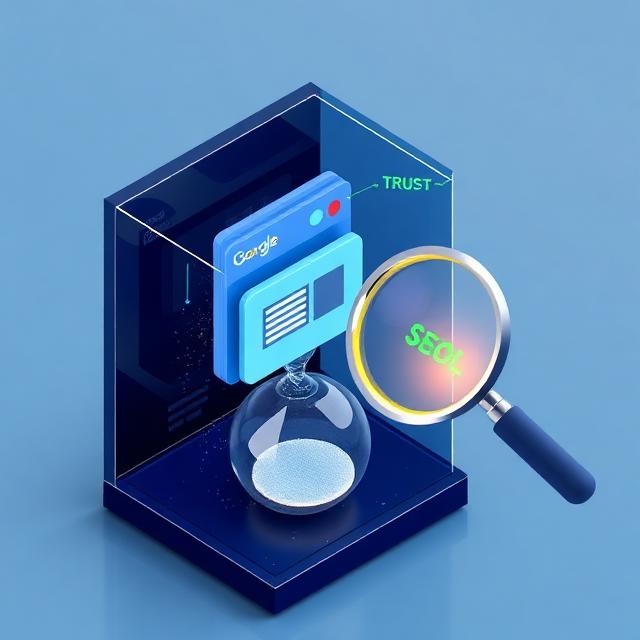
Visual metaphor for Google's indexing delay: a website icon in a transparent waiting room being inspected by a magnifying glass, with trust signals approaching.

Conceptual visual: A symbolic representation of Google's new "trust-first" indexing process, where new websites are held in a waiting period until they receive enough trust signals.

Introduction: The “Crawled – Not Indexed” Message That’s Frustrating New Webmasters

When I launched TheHelperTech in 2025, I assumed that if I published good content and submitted my URLs into Google Search Console, everything would index within a few hours.

But what actually happened was far more confusing.

Some URLs showed:
“Crawled – currently not indexed.”
Others showed:
“URL is not on Google.”

Even after adding sitemap, cleaning robots.txt, and submitting URLs again and again, nothing changed.
And I realized something important:

It wasn’t just me.

Inside SEO groups, Webmaster forums, Reddit discussions — hundreds of new website owners were facing the exact same issue in 2025–2026.

That’s when I started tracking every indexing experiment on TheHelperTech:

  • publishing different types of articles

  • testing internal links

  • submitting URLs at different times

  • creating free trust-building backlinks

  • improving categories

  • adding author pages

And after weeks of testing, a clear picture emerged:
Google’s behavior toward new websites has completely changed.

This guide is based on my own real-world experience running TheHelperTech, combined with verified SEO research — not generic theory.

You’re not imagining things, and you’re certainly not alone. Across forums like Webmaster World and SEO communities on Reddit, a clear trend has emerged throughout 2026. Google’s algorithm has become significantly more cautious with new domains. The era of near-instant indexing is over for newcomers.

This isn’t a bug; it’s a strategic filter. In this guide, we’ll cut through the speculation and explain exactly why this is happening, what “trust signals” Google is now looking for, and provide you with a actionable, step-by-step plan to get your website fully indexed and competing in search results.


Part 1: Why the Rules Changed – Google’s New Sites “Trust-First” Approach

The shift isn’t about punishing new sites. It’s Google’s necessary response to the state of the modern web. Let’s break down the core reasons.

1. The AI-Generated Content Flood
The last two years saw an explosion of tools allowing anyone to generate hundreds of articles with a click. In response, Google’s systems now place new domains—especially those with thin or generic content—under more scrutiny. The algorithm is asking: “Is this a real website built for humans, or just an auto-generated content farm?” The initial delay is a cooling-off period to see if real effort follows.

2. The Extended “Sandbox” (Or, The Waiting Room)
While Google officially denies a “sandbox,” the practical experience of thousands of SEOs confirms it. New domains often enter a probationary period lasting 30 to 90 days. During this time, Google may crawl your pages but withhold them from the active search index until your site demonstrates stability and growing authority. Think of it as a mandatory background check.

3. The Silent Rise of E-E-A-T
You’ve likely heard of E-E-A-T (Experience, Expertise, Authoritativeness, Trustworthiness). For new sites, this isn’t just a guideline; it’s the report card. A new site naturally scores low. Google’s delay allows time for signals of Experience (well-crafted, detailed content) and Trustworthiness (secure site, clear ownership, external mentions) to accumulate before granting full indexation.

In short, Google is no longer indexing web pages. It’s cautiously onboarding websites.


Part 2: The Trust-Building Blueprint – What Google Wants to See

My Own Indexing Breakthrough (Exact Moment Google Started Trusting My Site)

One thing I noticed during my experiments:

After publishing around 10–12 well-written articles, Google still didn’t index most of them.
But the moment I made 3 real trust signals, everything changed:

 1.First, I created a clean About.me profile and added my website link to it.

 2.Then I rewrote my category pages and expanded them with 150–200 words of                                        helpful explanations.

 3.After that, I improved internal linking by connecting all related posts together.

Within 48 hours, Google re-crawled my site.
Within the next 72 hours, two of my posts finally indexed.

That was the moment I realized:

“Google isn’t ignoring my content — Google was just waiting for me to show that my website is real.”

This one learning completely changed how I publish and optimize content today.

✅ Step 1: The “Trust Signal” Link Strategy
From My Experience forget expensive link campaigns. Google’s initial filter looks for simple brand signals that confirm your site’s legitimacy.

  • Action: Create clean, professional profiles on these free platforms and link to your site:

    • LinkedIn Company Page: A must for business credibility.

    • Pinterest Business Account: Perfect for visual niches (gadgets, apps).

    • Medium or About.me: Establishes a writer’s presence.

    • Industry-Specific Profiles: (e.g., GitHub for devs, Behance for designers).

  • Why it Works: These aren’t “powerful” backlinks, but they are strong trust signals. They tell Google your site is associated with a real entity across the web.

✅ Step 2: Master Internal Linking from Day One
Your site’s link structure is its nervous system. A well-linked site is easy for Googlebot to crawl and understand.

  • Action: In every new article, include 2-4 contextual links to your other relevant articles or cornerstone pages (like your “Best Laptops 2025” guide). Also, ensure your main navigation and footer link to key category pages.

  • Why it Works: It demonstrates site structure, spreads “link equity,” and helps Google discover your important pages faster.

✅ Step 3: Go Deep, Not Wide – Content That Commands Attention
Your first 10-15 pieces of content set the tone. Prioritize depth over frequency.

  • Action: Before writing another short news snippet, publish one definitive “Ultimate Guide” or “Complete Tutorial” for your niche. Aim for 1,500+ words of genuinely helpful, well-structured information.

  • Why it Works: This directly satisfies E-E-A-T. A single, outstanding guide does more for your perceived expertise than a dozen superficial posts.

✅ Step 4: Craft a Human-Facing “About” and “Contact”
An anonymous site is an untrustworthy site.

  • Action: Your About Us page should have a real story, bio, and mission. Your Contact page must have a working form or email. Add a clear physical address if applicable.

  • Why it Works: This satisfies the Experience and Trustworthiness pillars of E-E-A-T. It shows there are real people behind the site.


Part 3: Technical Fixes for the “Crawled – Not Indexed” Status

What Didn’t Work for Me — And Wastes Your Time (Learn From My Mistake)

Before figuring out the solution, I made the same mistakes many beginners make:

  • I kept submitting URLs repeatedly

  • I changed titles again and again

  • I rewrote posts thinking “maybe quality issue hai”

  • I installed new plugins for indexing

  • I even deleted old posts thinking they were “hurting indexing”

None of this matters.

Google does not index new sites based on desperation —
Google indexes them based on trust, which must be EARNED.

This realization saved me months of confusion.

Once your trust foundation is laid, these technical actions can prompt Google to take a second look.

🛠️ Fix #1: Eliminate Orphan Pages
An “orphan page” has no internal links pointing to it. If Google can’t navigate to it from elsewhere on your site, it may ignore it.

  • How to Fix: Audit your site (a simple plugin like “Link Whisper” can help). Ensure every important page is linked from at least one other page, like your homepage, a related blog post, or your main menu.

🛠️ Fix #2: Leverage the Google Search Console “URL Inspection” Tool
This is your direct line to Google.

  • How to Fix: For your most important, non-indexed pages:

    1. Paste the URL into the Inspection Tool.

    2. Request indexing.

    3. Crucially: Do this only after you’ve implemented the trust-building steps above. The button works, but it’s not a magic wand for low-quality pages.

🛠️ Fix #3: Ensure a Clean and Fast Technical Setup
A slow, broken site confirms Google’s suspicions.

  • How to Fix:

    • Run a Google PageSpeed Insights test.

    • Fix critical errors (broken images, server errors).

    • Ensure your site is fully mobile-responsive.

    • Install an SSL certificate (HTTPS is non-negotiable).


Part 4: Debunking the Big Myths

  • Myth: “AI content won’t get indexed.”

    • Reality: Quality is the metric. AI-assisted, heavily edited, and expert-augmented content ranks fine. Raw, unedited AI output is what gets filtered.

  • Myth: “I need dozens of powerful backlinks to start.”

    • Reality: As shown in Step 1, initial trust and brand signals are more critical than DA 90 links. Focus on legitimacy first.

  • Myth: “Publishing more content daily will speed it up.”

    • Reality: Publishing one excellent piece per week is far better than publishing five mediocre ones per day. Consistency with quality beats volume.


Conclusion Final Thoughts From a Webmaster Who Has Been There

Starting TheHelperTech taught me one thing:

Indexing isn’t just a technical step — it’s a relationship.

You can publish 50 articles, but Google will not move until it trusts you.
And trust comes from:

  • meaningful content

  • real structure

  • clean technical setup

  • and a visible digital footprint

Once I stopped fighting the algorithm and started understanding Google’s behavior, everything became easier.

If you’re reading this and stuck on “Crawled – not indexed,”
you’re not doing anything wrong.

You’re just early.

Stick to the trust-building foundation in this guide, and indexing WILL follow.

The indexing delay isn’t a barrier; it’s a quality filter. It’s Google’s way of asking new site owners to prove their commitment before joining the main stage of search results.

By focusing on building a real website for real people—with strong foundational content, a logical structure, and clear signals of expertise—you don’t just trick an algorithm. You build a sustainable asset. The initial patience required today lays the groundwork for stable, long-term growth tomorrow.

The new rule is simple: Build trust first, and indexing will follow.

— Published with the hope of helping new webmasters navigate the modern SEO landscape. Found this guide helpful? Share it with another founder or blogger who’s facing the “crawled-not-indexed” wall.

thehelpertech@gmail.com

thehelpertech@gmail.com

Related Posts

How to use artificial intelligence in daily life illustration with smartphone and AI apps
How-To

How to Use Artificial Intelligence in Daily Life: A Practical Guide for Beginners in the USA

January 6, 2026
A visual representation of Microsoft's AI transformation, showing the modern Microsoft logo integrated with cloud technology and artificial intelligence neural networks.
Microsoft

Beyond Gates and Ballmer: How Microsoft Quietly Reinvented Itself for the AI-First World

December 12, 2025
Next Post
AI productivity apps for 2026 displayed on a smartphone and laptop interface

Top 5 Must-Have AI Apps for Productivity in 2026: The Ultimate Guide for Professionals

Leave a Reply Cancel reply

Your email address will not be published. Required fields are marked *

Recommended.

Wi-Fi 7 technology concept showing high-speed wireless internet connection with modern devices

Wi-Fi 7 Explained: Speed, Features & Should You Upgrade? (2025 Full Guide)

November 29, 2025
Feature image showing logos of popular AI apps for 2026 including productivity, creativity, and chat-based AI tools

Top AI Apps in 2026: The Most Powerful Free & Paid AI Tools You Should Use This Year

December 13, 2025

Subscribe.

Trending.

Top budget smartphones under $300, $400, and $600 in 2026 with multiple phone models displayed

Best Budget Smartphones 2026: Top Phones Under $300, $400 & $500 (USA Guide)

December 3, 2025
Futuristic Windows 12 desktop showing AI neural networks and Copilot logo.

Windows 12: Top 5 AI Features That Will Change How You Use Your PC

December 16, 2025
Visual metaphor for Google's indexing delay: a website icon in a transparent waiting room being inspected by a magnifying glass, with trust signals approaching.

Why Google Is Delaying Indexing New Websites in 2026 — And How to Fix It (Complete Guide for New Bloggers & Businesses)

December 12, 2025
How to use artificial intelligence in daily life illustration with smartphone and AI apps

How to Use Artificial Intelligence in Daily Life: A Practical Guide for Beginners in the USA

January 6, 2026
X Chat by Elon Musk compared with WhatsApp in 2026

Elon Musk Launches X Chat: Can It Really Compete With WhatsApp in 2026?

December 15, 2025
thehelpertech.com

Your reliable hub for tech news, smartphones, apps, gadgets, and useful tech tips. We help you understand technology with simple guides and in-depth reviews..

Follow Us

Quick Links

  • Home
  • Review
  • Tech News
  • Gaming
  • Deals
  • How-To
  • Trending
  • Comments
  • Latest
Apple AirPods Pro 3 Review: Are They Worth the Upgrade in 2025?

Apple AirPods Pro 3 Review: Are They Worth the Upgrade in 2025?

November 28, 2025
Four iPhone 17 models showcasing new 2025 design, camera upgrades, and color options

iPhone 17 Review (2025): Full Specifications, Features & First Impressions

December 12, 2025
Feature image showing logos of popular AI apps for 2026 including productivity, creativity, and chat-based AI tools

Top AI Apps in 2026: The Most Powerful Free & Paid AI Tools You Should Use This Year

1
Artificial Intelligence transforming American cities and workplaces by 2026

AI Revolution 2026: How Artificial Intelligence Will Transform American Life

1
How to use artificial intelligence in daily life illustration with smartphone and AI apps

How to Use Artificial Intelligence in Daily Life: A Practical Guide for Beginners in the USA

January 6, 2026
Futuristic Windows 12 desktop showing AI neural networks and Copilot logo.

Windows 12: Top 5 AI Features That Will Change How You Use Your PC

December 16, 2025

Recent News

How to use artificial intelligence in daily life illustration with smartphone and AI apps

How to Use Artificial Intelligence in Daily Life: A Practical Guide for Beginners in the USA

January 6, 2026
Futuristic Windows 12 desktop showing AI neural networks and Copilot logo.

Windows 12: Top 5 AI Features That Will Change How You Use Your PC

December 16, 2025
  • About Us
  • Privacy Policy
  • Contact Us
  • Terms & Conditions
  • Affiliate Disclosure

© 2025 TheHelperTech. All Rights Reserved

No Result
View All Result
  • Home
  • Review
  • Gaming
  • Gadgets
    • Audio
    • Camera
    • Smartphone
  • Tech News
  • Apps
  • How-To
  • Deals

© 2025 TheHelperTech. All Rights Reserved